ESP32 BLE Provisioning: Setting Up Wi-Fi on IoT Devices via Phone App
How unified provisioning works, when to pick BLE over SoftAP, what the security modes actually protect against, and 5 edge cases the docs don't cover. Plus a free working app.
If you've ever shipped an ESP32-based IoT product to a customer, you've hit the question: how does the device get on their Wi-Fi network in the first place? You don't know their SSID. You definitely don't know their password. The device has no keyboard, no screen, and probably no USB port the customer wants to plug into. And whatever solution you pick, your QA team has to use it dozens of times a day during testing, your installers have to use it in the field on a flaky 4G signal, and the customer has to use it once — successfully — without calling support.
Espressif's answer to this is unified provisioning. It's a framework that ships with ESP-IDF, supports both BLE and SoftAP transports, handles secure credential exchange, and gives you a clean state machine for the connection handshake. This post walks through how it works, when to pick BLE over SoftAP, what the security modes actually protect against, and how to handle the parts that the documentation doesn't talk about — like what happens when your customer's phone is on a 5GHz network and the ESP32 only supports 2.4GHz.
If you'd rather skip the mobile-side build entirely, there's a working iOS app you can use today. More on that near the end.
What "unified provisioning" actually means
Before unified provisioning landed in ESP-IDF, every team rolled their own. You'd write firmware that started a SoftAP, served a captive portal, accepted credentials over HTTP, then connected to the user's network. Or you'd write firmware that exposed a BLE GATT service, accepted credentials over a custom characteristic, then connected. Both approaches worked, both had subtle bugs, and every team was solving the same problem twice.
Espressif's unified provisioning is a thin abstraction layer over both. You write your firmware to use wifi_prov_mgr, declare which transport you want (BLE or SoftAP), and the manager handles the rest — advertising, credential exchange, security handshake, Wi-Fi connection attempt, and reporting the result back to the client app. The same client-side protocol works whether the transport is BLE or SoftAP underneath, so your mobile app code doesn't change when you switch transports.
The headline benefit isn't the abstraction — it's the protocol. Espressif also publishes a documented protocol (protobuf-encoded messages over the chosen transport) so any client app that speaks the protocol can provision any ESP32 device, regardless of who wrote the firmware. That's why our app and Espressif's own reference apps can both talk to a device that uses unified provisioning — they speak the same protocol.
In practice, here's what a firmware initialization looks like at the entry point:
wifi_prov_mgr_config_t config = {
    .scheme = wifi_prov_scheme_ble,
    .scheme_event_handler = WIFI_PROV_SCHEME_BLE_EVENT_HANDLER_FREE_BTDM
};

wifi_prov_mgr_init(config);
wifi_prov_mgr_start_provisioning(
    WIFI_PROV_SECURITY_1,
    "abcd1234",          // proof-of-possession PIN
    "DM-Device-1234",    // BLE device name
    NULL                 // BLE service UUID (NULL = default)
);
Four lines. The provisioning manager handles the rest — BLE advertising, GATT service registration, the security handshake, decrypting incoming credentials, attempting the Wi-Fi connection, and stopping the BLE stack once the device is online. The _FREE_BTDM flag tells the manager to release the Bluetooth Controller's memory after provisioning ends — important on a device that won't need BLE again, because it frees up around 30KB of heap.
When BLE is the right transport (and when SoftAP isn't wrong)
Unified provisioning supports two transports, and the choice matters more than most teams think.
BLE provisioning advertises the device as a BLE peripheral. The customer's phone scans, finds the device, connects, and exchanges credentials over a GATT characteristic. The phone stays on the customer's Wi-Fi the entire time. The device is invisible to anyone not actively running the provisioning app within Bluetooth range.
SoftAP provisioning turns the device into a temporary Wi-Fi access point. The customer's phone has to disconnect from their normal Wi-Fi, join the device's open AP, exchange credentials, and then the device tears down its AP and reconnects to the customer's actual network. The phone has to reconnect to the customer's Wi-Fi separately.
In our experience, BLE wins for almost every consumer product, and here's the honest reason: SoftAP requires the customer's phone to leave their working network, which means a notification pops up saying "This Wi-Fi network has no internet connection — disconnect?" and any guidance you've given the customer in your setup instructions immediately gets contradicted by their phone's operating system. Then they tap "disconnect" and your provisioning flow breaks.
SoftAP is the right choice in three specific cases:
- The device doesn't have BLE hardware (an ESP8266, an ESP32-S2 — anything without the BT radio)
- You're provisioning at scale in a factory or warehouse where you control the network environment and a temporary disconnect doesn't matter
- The device needs to be provisioned by a laptop, not a phone — BLE on Windows in particular is still painful
For everything else, BLE. The customer's phone never leaves their network, the experience feels modern, and the device doesn't have to broadcast an open access point that any device in range can join.
What the security modes actually protect against
ESP-IDF's wifi_prov_mgr ships with three security modes. The docs name them and define them, but they don't always explain what each one protects against, which is what you need to know to pick the right one.
Security 0 is no security. Credentials are sent in cleartext over the chosen transport. The only legitimate use case is internal development on a controlled bench. If you ship Security 0, anyone within BLE range can passively sniff the customer's Wi-Fi password during provisioning. Don't ship it.
Security 1 uses a proof-of-possession (PoP) PIN plus a Curve25519 ECDH key exchange and AES-CTR encryption. The PoP is a short string (often printed on the device label, or shown on a sticker inside the box) that the client app has to provide alongside the credentials. Without the right PoP, the device rejects the session. This protects against two real attacks: a passive eavesdropper who sniffs the BLE traffic gets encrypted bytes that they can't decrypt, and an attacker within BLE range who tries to provision the device with their own credentials (to take over the device) is blocked unless they also have the PoP.
For most consumer IoT products, Security 1 is the right call. The PoP printed on the device label is the standard pattern.
Security 2 uses SRP6a (Secure Remote Password) instead of a static PoP. Instead of the device knowing a fixed PoP and matching it, the device and client perform a zero-knowledge password proof — meaning even if the device's flash is dumped, the password can't be extracted. Worth it for high-value or regulated products (medical devices, anything carrying credentials beyond Wi-Fi); overkill for a smart light.
Declaring security mode is one line:
wifi_prov_mgr_start_provisioning(
    WIFI_PROV_SECURITY_1,    // or _0 for dev, _2 for high-security
    "PROOF_TOKEN",
    service_name,
    service_key
);
What the client app actually does
Once the device is advertising over BLE with the provisioning service exposed, the client side has a sequence to execute. Conceptually:
- Scan and discover. The app scans for BLE devices advertising the provisioning service UUID. The user picks the one they want to provision (usually by name — "DM-Device-1234" or similar).
- Connect and handshake. The app connects to the device's GATT server, performs the ECDH key exchange (Security 1) or SRP handshake (Security 2), and establishes the encrypted session.
- Scan for Wi-Fi networks. The app asks the device to scan for nearby Wi-Fi networks. The device performs the scan and returns the list over the encrypted channel. The user sees a list of available networks on their phone.
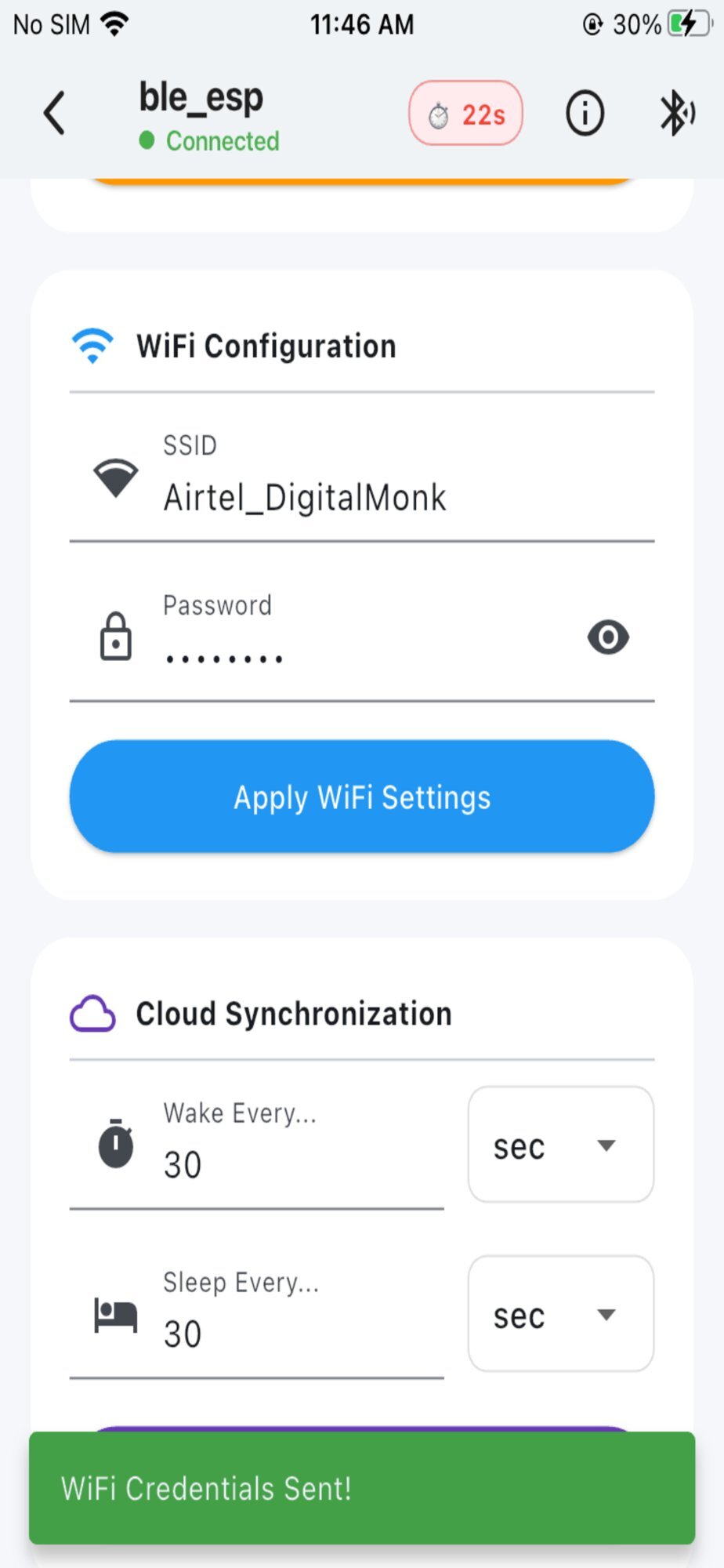
- Submit credentials. The user picks their network, enters the password, and the app sends the SSID + password to the device over the encrypted channel.
- Wait for the result. The device attempts to join the Wi-Fi network and reports back: success, wrong password, network out of range, or DHCP failure.
- Tear down. On success, the app disconnects and the device stops advertising. The user is done.
Here's what the scan and selection step looks like in our app:
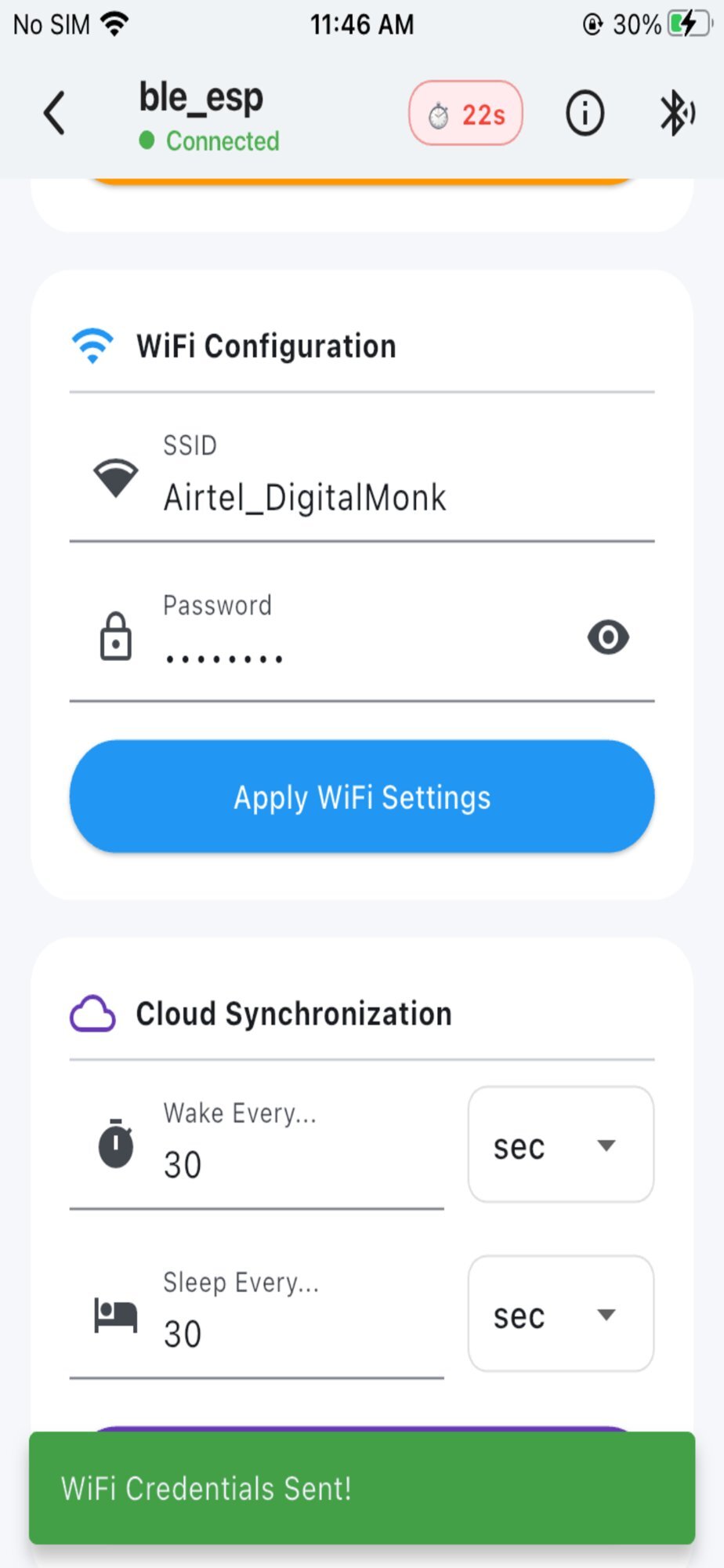
And here's the credential entry step, after the user has selected their device and the app has fetched the nearby Wi-Fi networks:
The whole flow, from launching the app to seeing the device confirm it's online, runs in under a minute when everything works.
The parts the documentation doesn't mention
Five things will bite you during real deployments. Worth knowing before you ship.
1. 2.4GHz vs 5GHz networks. The base ESP32 only supports 2.4GHz Wi-Fi. Modern home routers often default to 5GHz for the main SSID and put 2.4GHz on a separate SSID with a "-2.4" suffix — or worse, present them as a single SSID with band steering, where the router picks which band to advertise. The user sees their network in the list, selects it, types the password, and the device fails to connect with no clear explanation. Handle this in your client app: when displaying scan results, if the device returned an empty list or only 2.4GHz networks while the phone clearly sees 5GHz networks nearby, surface this honestly to the user. "Your device only supports 2.4GHz Wi-Fi. If you can't see your network here, you may need to enable a separate 2.4GHz network on your router."
2. Captive portals. Hotels, airports, coffee shops, and many corporate networks use captive portals — the device joins the SSID successfully but can't actually reach the internet until someone clicks "accept" on a web page. ESP32 provisioning will report a successful Wi-Fi connection even though the device can't reach your cloud. Worth probing your cloud endpoint during provisioning (before reporting success) and surfacing the captive portal case explicitly.
3. WPA3-only networks. Some newer routers default to WPA3-only mode, which the base ESP32 doesn't support. The provisioning will fail with an authentication error that's indistinguishable from a wrong password. If you're seeing high failure rates on what looks like correct credentials, this is often why.
4. Bonding state. If a user provisions the same device twice (e.g., during testing), iOS and Android will sometimes remember the previous BLE bond and refuse to re-pair. The honest fix is to make sure your firmware clears bonding state after a factory reset, and to instruct users to "forget" the device in their phone's Bluetooth settings if they hit this. Annoying but real.
5. Heap fragmentation. The provisioning manager allocates a non-trivial amount of heap during the session. If your firmware is already heap-constrained (large web server, lots of cloud SDKs loaded), you can hit allocation failures mid-handshake. Free what you can before calling wifi_prov_mgr_start_provisioning(), and use the _FREE_BTDM flag to release BT memory after provisioning completes.
A working BLE provisioning app you can use today
We needed a clean BLE provisioning app for our own client projects. After building it once for one project and then again with minor variations for the next two, we cleaned it up, removed the client-specific bits, and published it free on the App Store: BLE WiFi Setup.
It speaks Espressif's unified provisioning protocol over BLE, supports ESP32, ESP8266, and nRF chips (anything that exposes standard GATT provisioning characteristics), and runs the four-step flow described above. No account, no login, no telemetry. Free.
If you're an embedded engineer working on an ESP32 product and you want to skip building the mobile-side yourself for early prototypes or for letting your QA team test in the field, it's there. If you're building toward production and need a branded version with your logo on the App Store, we offer white-label customization — you give us your firmware's GATT mapping, we ship the app under your brand.
For a deeper look at how it fits into a full IoT system, the BLE WiFi Setup app page walks through the supported platforms, the white-label options, and the broader integration story.
When you're ready for the rest of it
Provisioning is the start of a device's life. After it, you have OTA updates (every shipped device eventually needs a firmware patch — we wrote about the ESP32 OTA approach we use), telemetry to a cloud backend, device-side power management, and field debugging. All of that has to be designed together — a provisioning flow that hands off cleanly to an OTA system that reports cleanly into a cloud dashboard.
That's the part where most one-person teams hit the wall. If you've built BLE provisioning before, you know the difference between a working demo and a production deployment isn't more code — it's the dozens of edge cases like the five above, multiplied across every subsystem.
We're DigitalMonk. We build ESP32 IoT products end-to-end — firmware, custom PCBs, BLE/Wi-Fi stacks, OTA, mobile, cloud. If you need a BLE mobile app built alongside your firmware, or you're past the provisioning stage and looking at the rest of the system, our ESP32 team is a reasonable place to start a conversation.
If you're not — keep building. The unified provisioning manager is good code, the app is free, and you're closer to shipping than you might think.
Past provisioning and looking at the full stack?
We build ESP32 IoT products end-to-end — firmware, PCB, BLE/Wi-Fi, OTA, mobile, cloud. Everything transfers to you at the end.
Talk to the DigitalMonk team →