Case Study: A Basketball Hoop Alarm Clock
Most people can silence an alarm without opening their eyes. Gilad, an Israel-based client, wanted an alarm that makes that impossible: a large digital clock built into a miniature basketball hoop, where the alarm keeps sounding until you actually sink a shot. The wake-up time is set from a mobile app over Bluetooth Low Energy, and a sensor on the rim decides when the shot counts. We took the project end to end — custom PCB, ESP32 firmware, the mobile app, and the enclosure — and delivered it as working hardware.


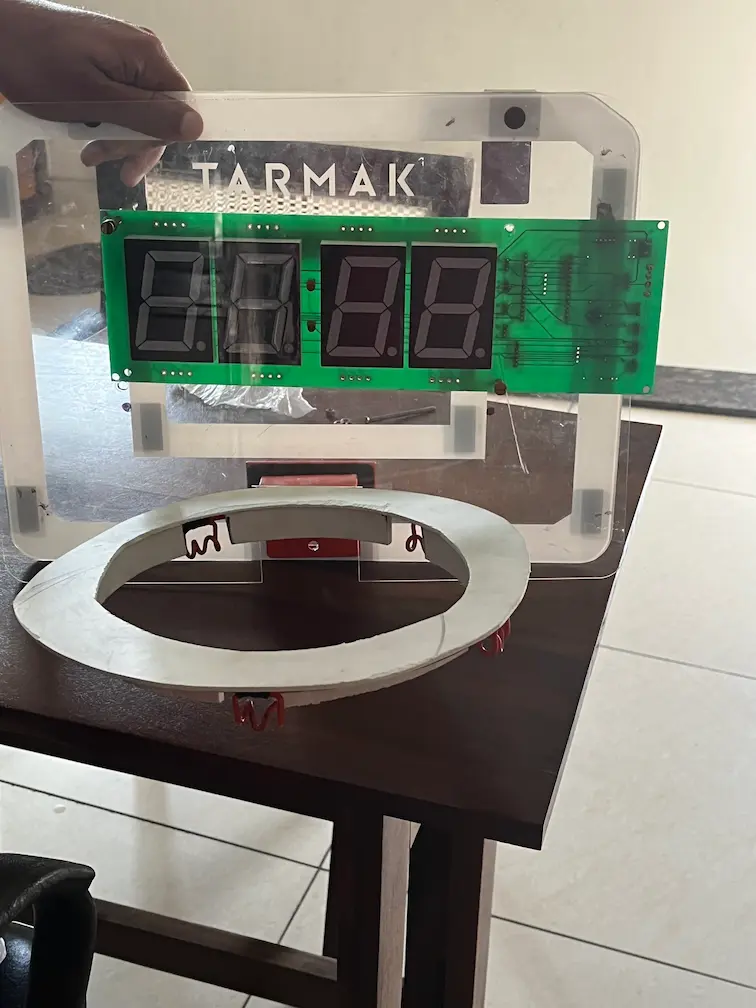
The Client's Challenge
The idea sounds simple and hides a few real constraints. An alarm is only useful if it is reliable: it has to wake you at the right minute every day, and it cannot depend on a phone being charged, nearby, or connected. At the same time, the whole point of the product is that you can't dismiss it lazily, so the "stop" mechanism has to be trustworthy in the other direction as well — a made basket has to register, and nothing short of a made basket should silence it.
Then there is the physical object. The time had to be readable across a room, which meant large digits rather than a small display, and the electronics had to live inside something that looks and feels like a basketball backboard with a real ring. That meant the board, the display, the sensor, and the enclosure all had to be designed together instead of as separate parts. Gilad came to us for firmware, but the product only worked if the PCB, the app, and the enclosure were solved alongside it, so the scope grew to cover all of them.
The Engineering
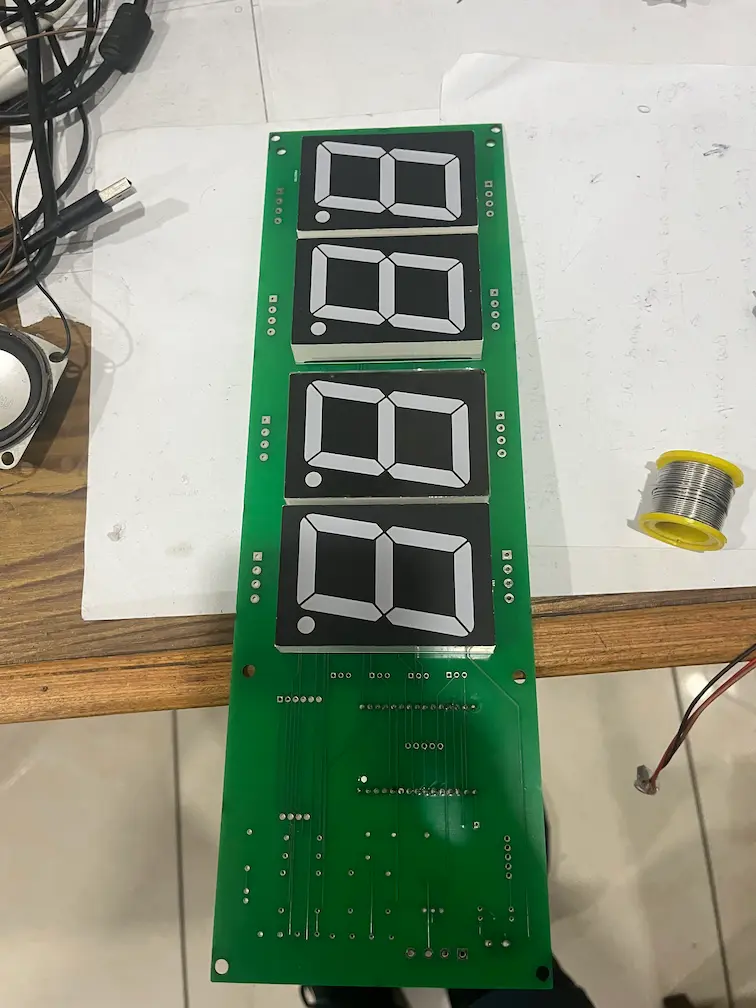
The controller is an ESP32 on a custom PCB we designed and had fabricated for this product. The board carries four large two-digit 7-segment display modules, which together show the hours and minutes, plus the supporting circuitry for the buzzer, the sensor input, and the real-time clock. Designing the PCB around the display rather than fitting a display to a generic board is what makes the clock readable from across a room while still fitting behind a backboard-sized panel. This is PCB design and fabrication handled by the same team that writes the firmware, so decisions like where the sensor connector sits or how the display is driven were made once, together, instead of being renegotiated between a board vendor and a firmware vendor.
Two choices are worth explaining, because both come from the same constraint. First, the unit runs from a 5V supply and is wall-powered rather than battery-powered. Large 7-segment LEDs draw a lot of current, and a battery-powered version would either dim the display to the point of being hard to read or need frequent recharging, which defeats the purpose of a device whose job is to be reliably on at wake-up time. Designing around a fixed supply also removed a whole category of work — charging circuitry, battery protection, and low-power modes — that would have added cost and risk for no benefit in a product that sits on a wall or a shelf.
Second, timekeeping is handled by a DS3231 real-time clock module, not by the ESP32's own clock and not by the phone. The DS3231 is a temperature-compensated RTC that talks to the ESP32 over I2C, and it is the right part for this job because an alarm clock is judged on one thing: whether it is right every morning. A microcontroller's internal timer is fine for measuring intervals but is not built to hold wall-clock time accurately over days and weeks, and relying on the phone would mean the clock is only correct while the app has recently connected. With a dedicated RTC, the alarm fires at the right minute even if the phone is off, out of range, or has never been paired. The phone is only needed to set the alarm, not to run it.
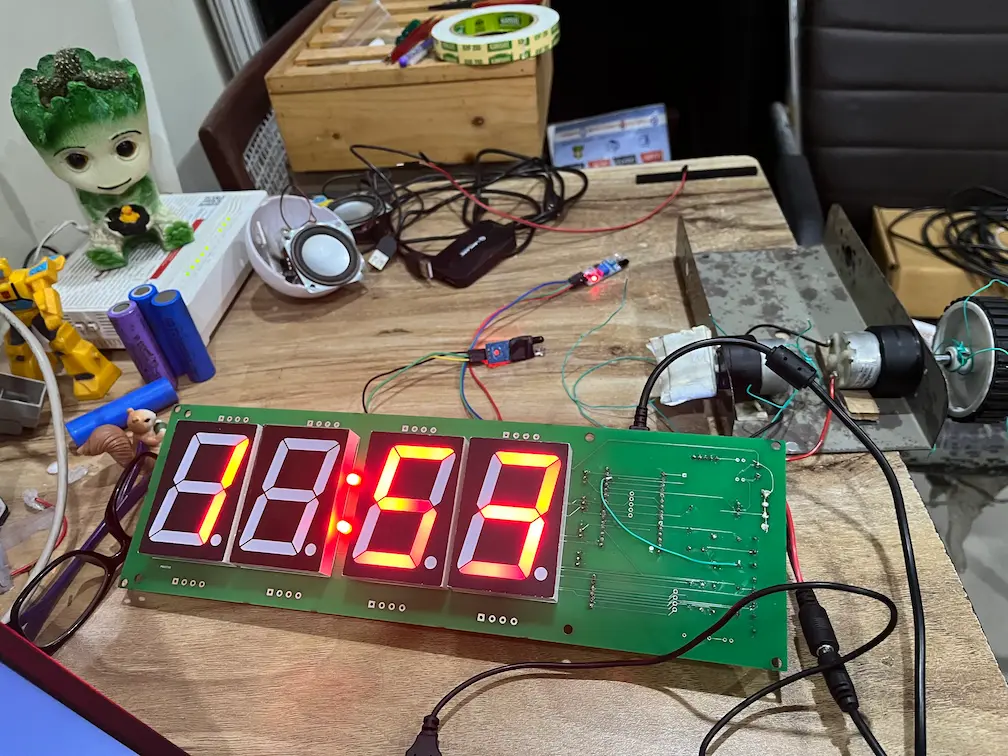
The stop mechanism is an IR sensor fitted on the rim of the hoop. When the alarm is sounding, the firmware watches that sensor, and the alarm only stops when the sensor detects a ball passing through the ring. We tested the sensor on the bench, wired to the board, before it was ever mounted on a hoop, so the detection behavior could be checked in isolation from the mechanics of throwing a ball. We chose an IR sensor on the rim because it detects the one event that matters — something passing through the opening — without needing the player to press anything, and without depending on the phone.
The alarm sound itself comes from a buzzer driven directly from an ESP32 GPIO pin. That is a deliberately simple choice: a buzzer needs no audio codec, no amplifier stage, and no storage for sound files, which keeps the board small and the bill of materials short. The user is not stuck with a single sound, though — the alarm tone can be changed from the mobile app, so the wake-up sound is something each person can choose rather than a fixed factory setting.
On the wireless side, the ESP32 talks to the mobile app over BLE, using the radio already built into the chip, so there is no separate wireless module on the board. The app is built in React Native, a cross-platform framework, which lets one codebase serve both major phone platforms instead of maintaining two separate apps for a product of this size. It is where the user sets the wake-up time and chooses the alarm tone, and BLE suits that job because the interaction is short and local: you configure the alarm from the same room, then put the phone down. Because the RTC and the alarm logic live on the device, nothing about the alarm depends on the BLE link staying up. This is the same split we apply on other products — the device owns the behavior that has to be reliable, and the app is a convenient way to configure it. If a project needs a BLE mobile app built to talk to custom hardware, that device-first design is usually where we start.
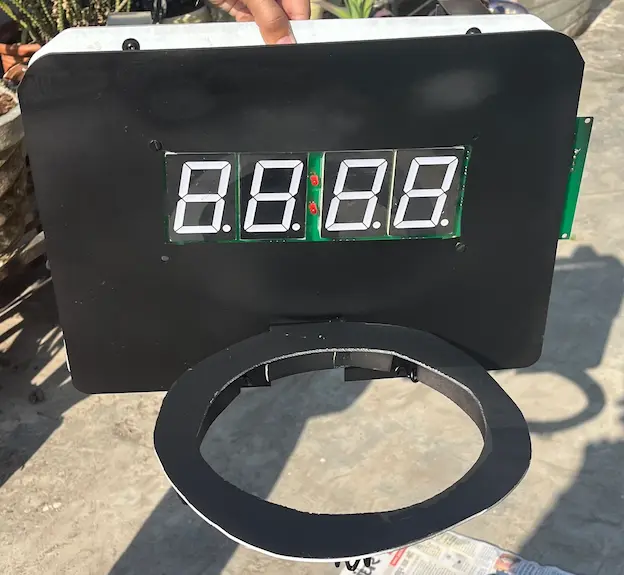
The enclosure turns the electronics into the object the client described: a backboard-shaped panel carrying the display, with a ring beneath it where the sensor sits. Getting the board, the display window, and the ring to line up was an enclosure problem as much as an electronics one, which is a good reason to treat them as one job. During development we used a ready-made miniature basketball backboard kit as a test rig for the electronics and the sensor placement before committing to the final enclosure. That kit is not our product and we have no affiliation with its maker; it simply gave us a realistic backboard to test against.
Tech Stack
Every part in the stack is there for a reason tied to the product: a clock that is readable, accurate, and impossible to switch off lazily. This is what the finished unit is built from.
| Layer | What we used | Why |
|---|---|---|
| Microcontroller | ESP32 | Built-in BLE, so no separate radio module |
| Timekeeping | DS3231 RTC over I2C | Accurate time that doesn't depend on the phone |
| Display | Four large two-digit 7-segment modules | Readable across a room |
| Stop sensor | IR sensor on the hoop rim | Detects a ball passing through the ring |
| Alarm output | Buzzer on an ESP32 GPIO | Simple, small, no audio hardware needed |
| Power | 5V supply, wall-powered | Large LEDs draw too much for batteries |
| Wireless | Bluetooth Low Energy | Short, local setup from a phone |
| Mobile app | React Native | One cross-platform codebase |
| Board and enclosure | Custom fabricated PCB, backboard-style enclosure | Display, sensor and ring designed as one object |
Nothing in this list is exotic, and that is deliberate. A product like this gets its reliability from choosing proven parts and putting the important behavior — time, alarm logic, and the stop condition — on the device itself, so the whole thing keeps working when the phone or the BLE link does not.
Production Reality
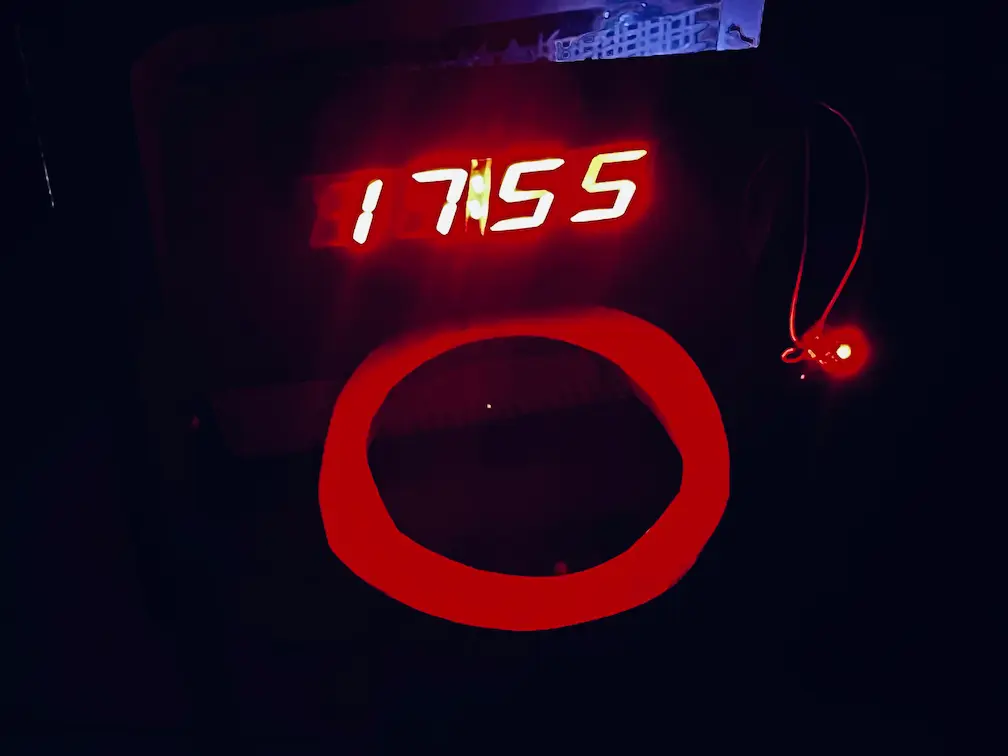
We want to be precise about what this project is. It is a custom-built product, not a mass-produced one: the PCB was fabricated for it, the units were assembled and tested by hand, and the photos on this page show working prototype hardware — including a visible rework wire on the board, which is normal at this stage and which we would rather show than hide. What the build demonstrates is the full chain in one place: a designed and fabricated board, firmware, an app, and a physical enclosure, brought to a unit that runs the way the client specified.
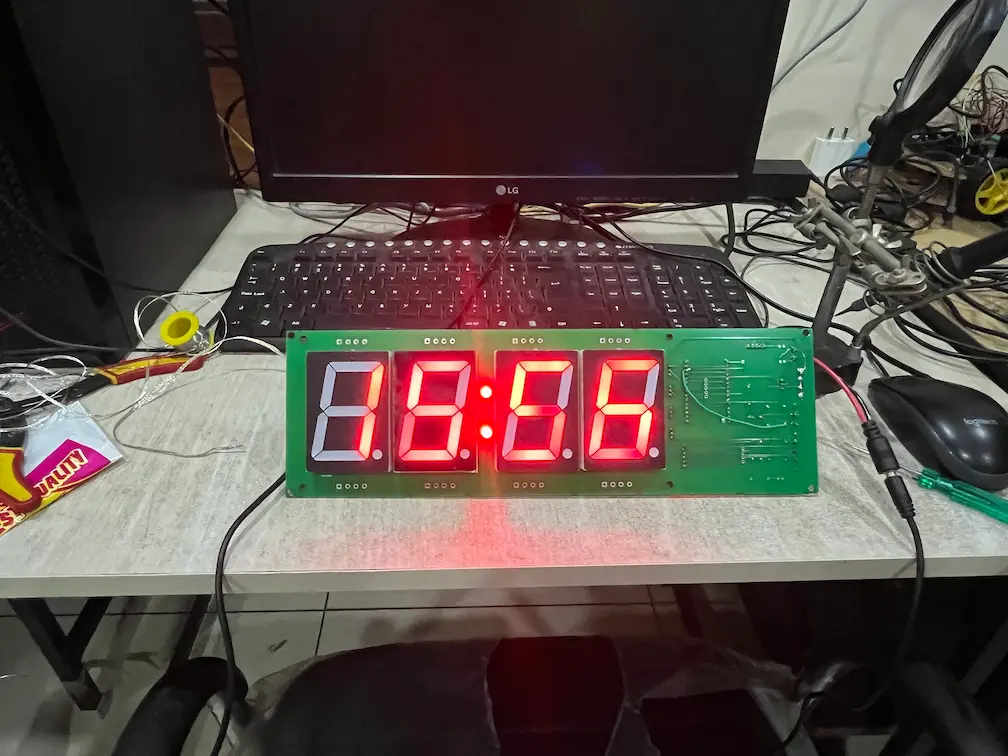
Mains power also shaped how the unit was bench-tested: a display this bright is checked with the supply it will actually run from, not a lab substitute, so what we verified is the behavior the client will see. We do not claim batch quantities here because there are none to claim; the value of this case is the breadth of the work and the fact that every layer of the product was built by one team.
Client Outcome
Gilad received a working basketball alarm clock: a large readable display, a time set from his phone, an alarm that rings until a shot goes through the hoop, and a clock that keeps time on its own. The engagement started on Upwork as a firmware project and earned a five-star review, and the working relationship continued beyond the platform as the scope grew to include the PCB, the app, and the enclosure — the kind of expansion that tends to follow work that held up.
When a Product Like This Needs Custom Hardware
Alarm clocks are one of the cheapest things you can buy, and nobody should commission custom hardware to wake up on time. This project is different because the alarm was never the product — the interaction was. A clock where the only way to stop the alarm is to make a basket cannot be assembled from a stock clock module, because the stop condition, the display size, and the physical form are all part of the idea. Once the requirement is a combination like that, off-the-shelf parts stop being a shortcut and start being the constraint.
It is also a good example of why we take a project like this as one piece of work instead of splitting it across vendors. The board's connectors depend on the enclosure, the enclosure depends on where the sensor sits, the firmware depends on how the sensor behaves, and the app depends on what the firmware exposes over BLE. Split those four between four suppliers and every boundary becomes a negotiation. Kept together, a decision made in one place — moving the sensor connector, changing how the display is driven — is made once and carried through everywhere it matters. That is what the client got: one team accountable for the board, the firmware, the app, and the physical build.
What This Proves
A product doesn't have to be complicated to need several disciplines at once. This alarm clock needed a fabricated PCB, ESP32 firmware, a BLE app, a sensor, and an enclosure that all fit together, and it came from one team as a single piece of work. It is the same approach we took on our motion-tracking basketball project and on other hardware where ESP32 firmware, board design, and the physical build have to be solved together.
Have a Connected Hardware Idea?
Whether you need a custom ESP32 board, a BLE companion app, or the enclosure to bring them together, DigitalMonk can turn your idea into working hardware.